Brickhaven Beginner's Guide: 8 Tips to Build Faster
Eight tips for new builders: reading the blueprint, carrying more bricks, which skills to pick first and designing your own house.
1. Read the blueprint first
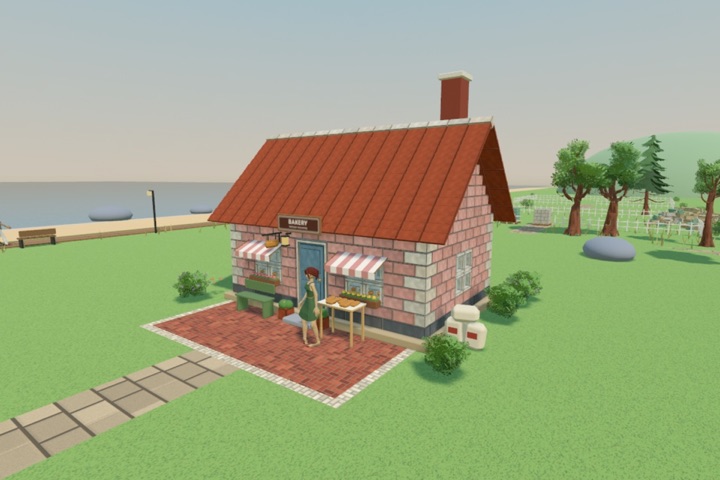
Open the blueprint at the easel next to each building. It shows the finished building and how many bricks of each shape and color the next section needs.
2. Pick shape and color together
Two bricks can share a shape but not a color. If a brick doesn't match the plan, the game tells you before you lay it.
3. Carry a full load
Fill your arms before you walk to the wall. Every trip to the pile costs time; a full load saves many of them.
4. Build section by section
Each building is split into sections, like a wall or a roof. Finishing a section gives you skill points.
5. Spend skill points on Strong Arms early
Strong Arms lets you carry more bricks at once, up to twenty. It pays back on every single trip.
6. Then get the Brick Magnet
The magnet pulls matching bricks of the type you have selected straight to you. Searching the pile is the slowest part on a phone, and this skips it.
7. Use the lift and jump for high rows
Upper walls and roofs are reached with the lift; skills make it faster and let you jump higher.
8. Make it yours
Once the town is open, draw your own building at the Architect's Table and decorate the streets. There is no wrong answer.
Stuck or found a bug? Write to hyapps@outlook.com; every message is read.
Rebuild a seaside town, one brick at a time
Brickhaven: a cozy building game for iPhone and iPad. Offline, no timers, no ads. The first two buildings are free.
Download on the App Store