Design Your Own House: The Architect's Table in Brickhaven
Draw your own house, shop, café or farm on iPhone and iPad, pick the colors and windows, then build it by hand on your own lot.
Most house design games stop at the drawing. In Brickhaven the drawing is only the plan: once it is ready, the bricks are delivered to your lot and you build the house yourself, row by row, like every other building in town.
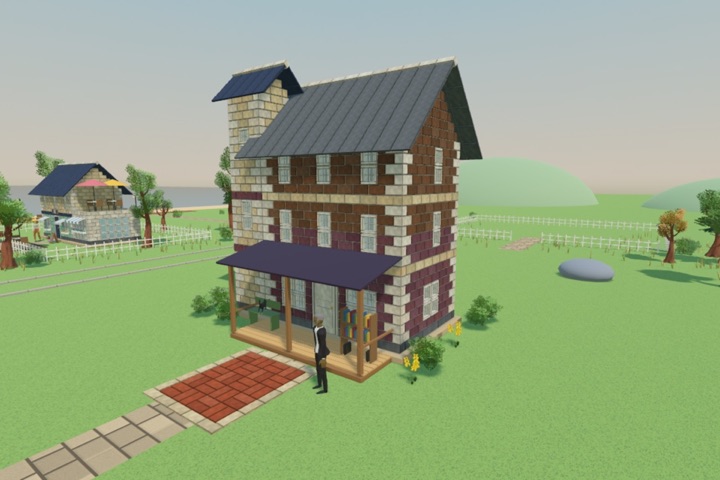
How to design a building
- Open the Architect's Table from the menu and start a new design, or pick one of the ready-made sketches.
- Body: choose the width and depth, one to three floors, and a pitched or a flat roof.
- Colors: walls, upper floor, corner stones, trim, roof, door and windows each get their own color.
- Facade: tap any spot on a wall to switch it between wall, window, wide window and door.
- Extras: add a side wing or a corner tower.
- Identity: make it a home, a shop, a café or a farm and write the name on its sign.
- Tap Build and choose one of your four lots.
Good to know
You see it before you build it
A 3D preview turns next to the controls and shows the brick count, so you know how long the build will take.
The theme decides who moves in
A finished café gets tables and a barista, a farm gets hay, a cow and chickens, a home gets a bench and flowers.
Designing is free
Anyone can draw and save designs. Building them on a lot is part of the Whole Town purchase.
Then decorate
After a building is finished you can place benches, lamps, trees, flower beds and animals around it.
Rebuild a seaside town, one brick at a time
Brickhaven: a cozy building game for iPhone and iPad. Offline, no timers, no ads. The first two buildings are free.
Download on the App Store